Your first proxy request in five minutes
Open Residential Proxy, generate one proxy line, paste it into curl, and read the IP that comes back. That is the whole first request.
Written By Carmine Cella
Last updated 1 day ago
Open Residential Proxy, generate one proxy line, paste it into curl, and read the IP that comes back. That is the whole first request.
Before you start
- Residential traffic on your account: a purchase (Buy data) or the approved 100 MB trial. Data left at the top of the page shows it.
- A terminal with
curl, or any tool that accepts an HTTP proxy with username and password.
Steps
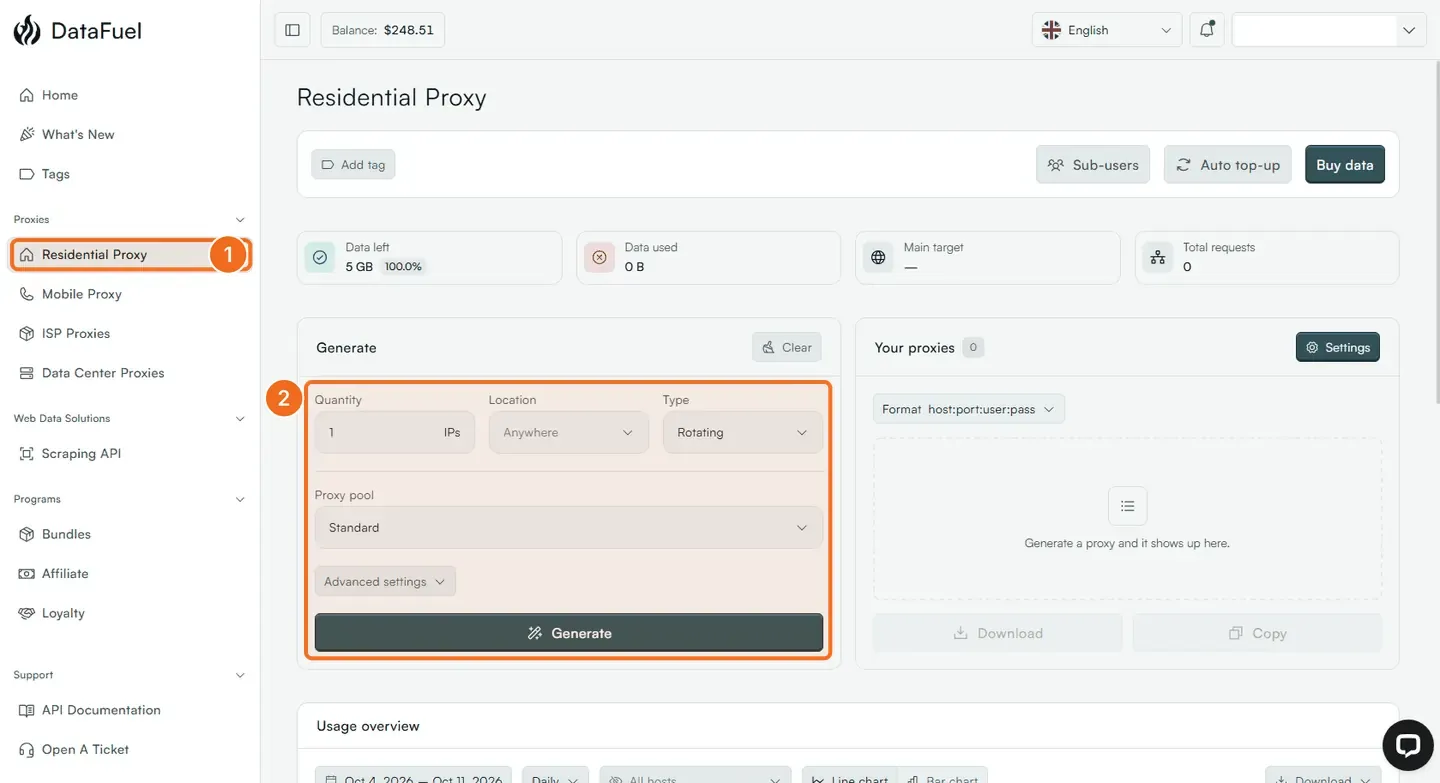
- Open Residential Proxy in the left menu.
- In Generate, set Quantity to 1, Location to a country (or leave Anywhere), Type to Rotating, and keep Proxy pool on Standard. Click Generate.
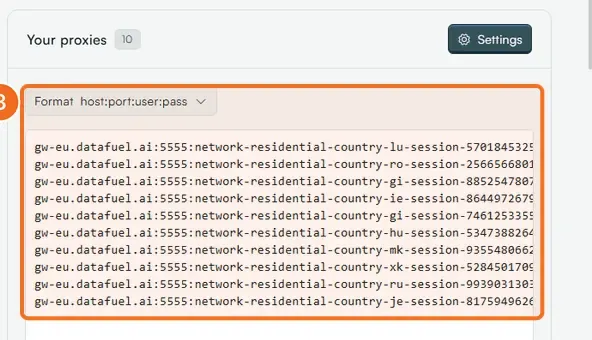
- The line appears under Your proxies in the format
host:port:user:pass: the gatewaygw-eu.datafuel.ai, port5555, a username that starts withnetwork-residential, and your password. Click Copy. - Run this command, replacing
YOUR_PASSWORDwith the password from the line:
curl --proxy gw-eu.datafuel.ai:5555 \
     --proxy-user network-residential-country-us:YOUR_PASSWORD \
https://ipinfo.io/json- Read the answer:
ip,cityandcountryshow the residential IP you exited from, in the country the username asked for. - Change the Location and click Generate again; a different country answers.
What happens next
Every request on a Rotating line gets a new IP. Sticky keeps one IP for the Session time you set, in minutes. The gateway does not decide where your IP is; the username does, so gw-eu, gw-us and gw-as are only about which gateway is closest to your servers. Data used, Main target and Total requests update as you go, and Usage overview charts the traffic by day.
If it did not work
- 407 Proxy Authentication Required. The password in the line is wrong or was reset. Generate the line again and copy it whole.
- 402 Payment Required. Data left is 0; click Buy data.
- Any other code: Proxy error codes explained.
Related
- Generate proxy credentials and lists
- Target a country, city, carrier or OS
- Technical reference: Residential proxies
Was this helpful?
Still need help? Ask the team