API keys: create, rotate and revoke
You have two kinds of key: a dashboard key (df_live_…) from Settings → API Keys, for the Datafuel API that manages your account, plans and orders, and a scraping key (df_key_…) from Scraping API → Settings, for the scraping API. Proxies use a username and password instead, not a key.
Written By Carmine Cella
Last updated 1 day ago
You have two kinds of key: a dashboard key (df_live_…) from Settings → API Keys, for the Datafuel API that manages your account, plans and orders, and a scraping key (df_key_…) from Scraping API → Settings, for the scraping API. Proxies use a username and password instead, not a key.
The two keys
Create a dashboard key
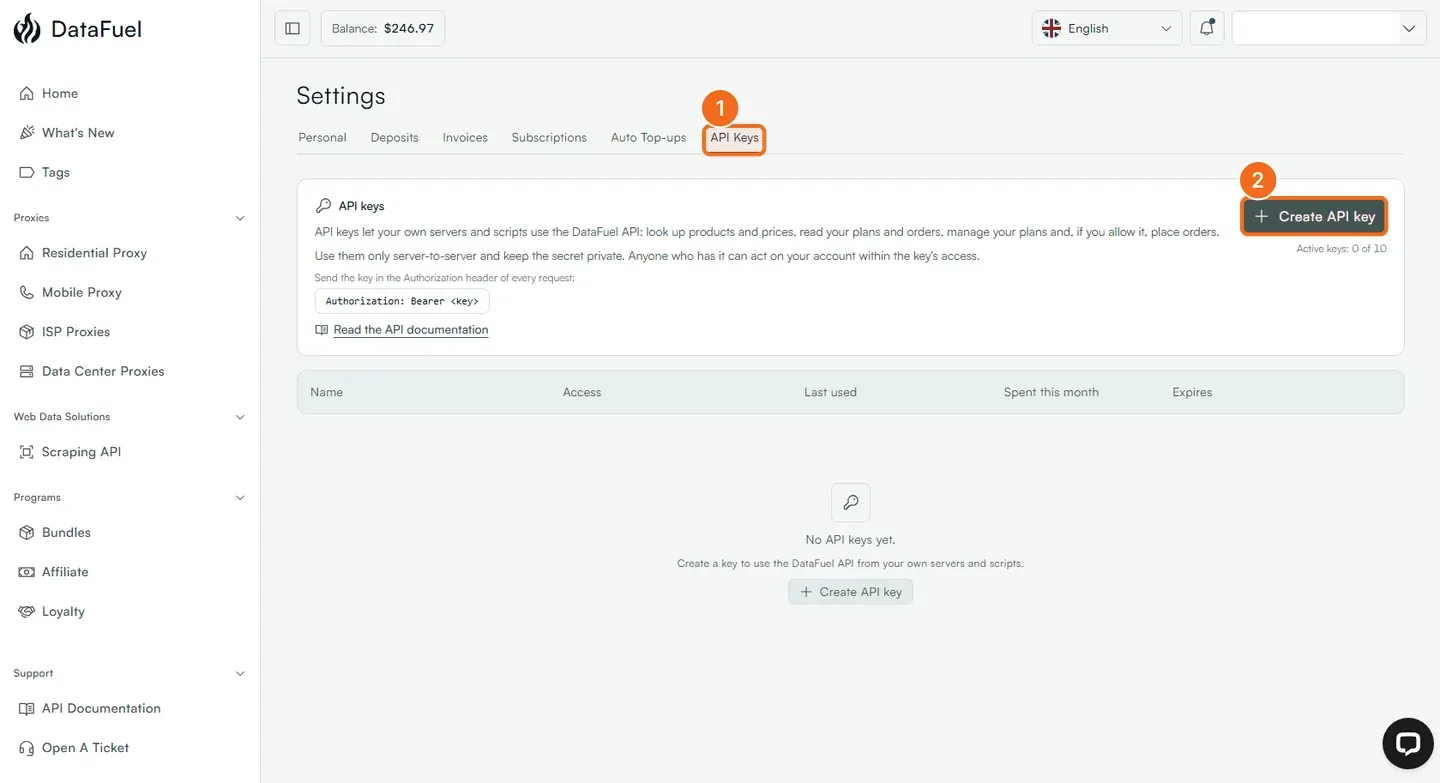
- Open Settings from the account menu at the top right, then the API Keys tab.
- Click Create API key. Give it a name you will recognise in a year ("billing-automation", "scraper-eu"), choose the access it needs, and an expiry if you want one. An account holds up to 10 active keys.
- Copy the key now. It is shown once.
The list shows each key with its name, access, last use, what it spent this month and its expiry. The icons at the end of a row edit the key, rotate it, or delete it.
Rotate or revoke
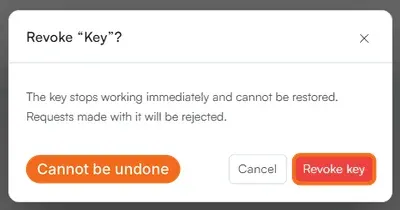
- Dashboard key: in Settings → API Keys, the rotate icon issues a new secret for the same key; the delete icon opens Revoke "name"?. A revoked key stops working immediately and cannot be restored; requests made with it are rejected. Create a new one first if something in production uses it.
- Scraping key: in Scraping API → Settings, click Rotate key. The old key stops working at once and the new one replaces it in the panel. From code:
POST https://scraping-api.datafuel.ai/api/v1/users/@me/api-key/resetwith the current key returns the new one in that response only. A503 API_KEY_RESET_FAILEDmeans nothing changed and the old key still works.
Keep them safe
Keys live on your server, never in a web page, a mobile app or a public repository: a dashboard key can place paid orders. If a key leaks, revoke or rotate it first and ask questions later.
If it did not work
- 401. Missing, expired or revoked key, or the wrong kind of key for that API.
- 403 with
meta.required. The key lacks the named access; create one with it.
Related
Was this helpful?
Still need help? Ask the team