Create your account and verify your email
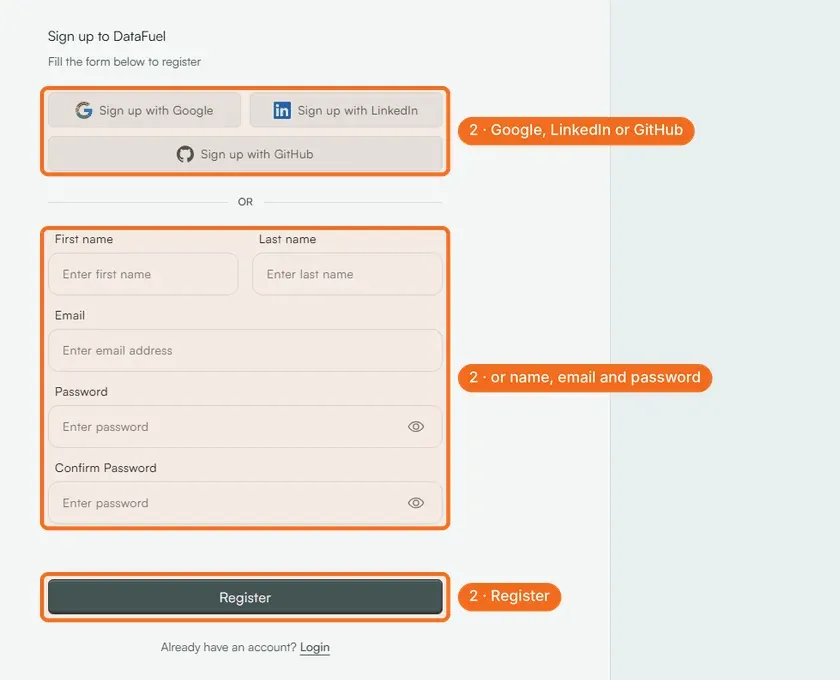
Registration takes two minutes at dashboard.datafuel.ai/register: sign up with Google, LinkedIn or GitHub, or enter your name, email and a password. No credit card is needed.
Written By Carmine Cella
Last updated 1 day ago
Registration takes two minutes at dashboard.datafuel.ai/register: sign up with Google, LinkedIn or GitHub, or enter your name, email and a password. No credit card is needed.
Before you start
- An email address you can open now; the verification link is sent there.
- If you were given a referral or event link (
dashboard.datafuel.ai/en/register?ref=…), open the registration page through that link so the credit is attached to your account.
Steps
- Open dashboard.datafuel.ai/register.
- Click Sign up with Google, Sign up with LinkedIn or Sign up with GitHub and approve the login; or fill in First name, Last name, Email, Password and Confirm Password and click Register.
- Open the email from Datafuel and confirm your address.
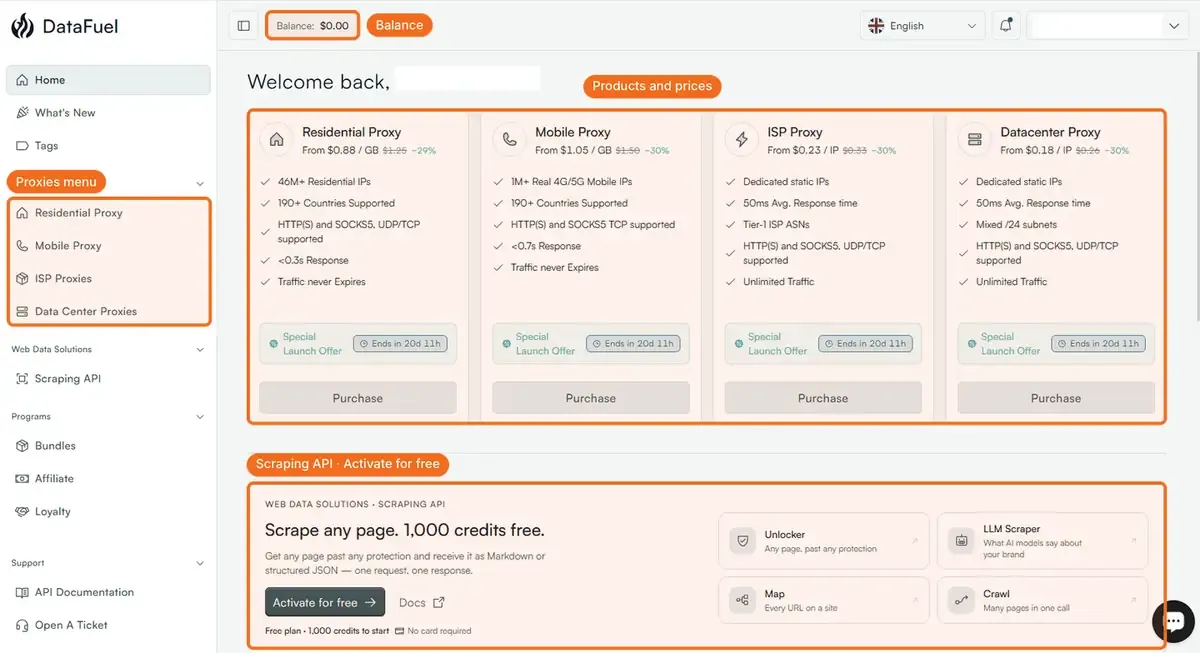
- Log in. You land on Home: the four proxy products with their prices, and the Scraping API band with Activate for free.
What happens next
Your balance starts at $0.00; it is shown in the top bar on every page. Proxies are paid from that balance or by card at checkout, and the scraping API has a free plan with 1,000 credits. Your name is enough to start; company name, address and VAT number go under Settings → Personal → Billing Details before your first purchase if you need them on invoices.
If it did not work
- No verification email. Check spam and the promotions tab. If nothing arrives in ten minutes, write to support@datafuel.ai from the address you registered.
- "Email already registered." Use Login and the password reset on the login page; the account exists.
- One account per person or company. A second trial on a second account is not approved; ask support to merge accounts instead.
Related
Was this helpful?
Still need help? Ask the team